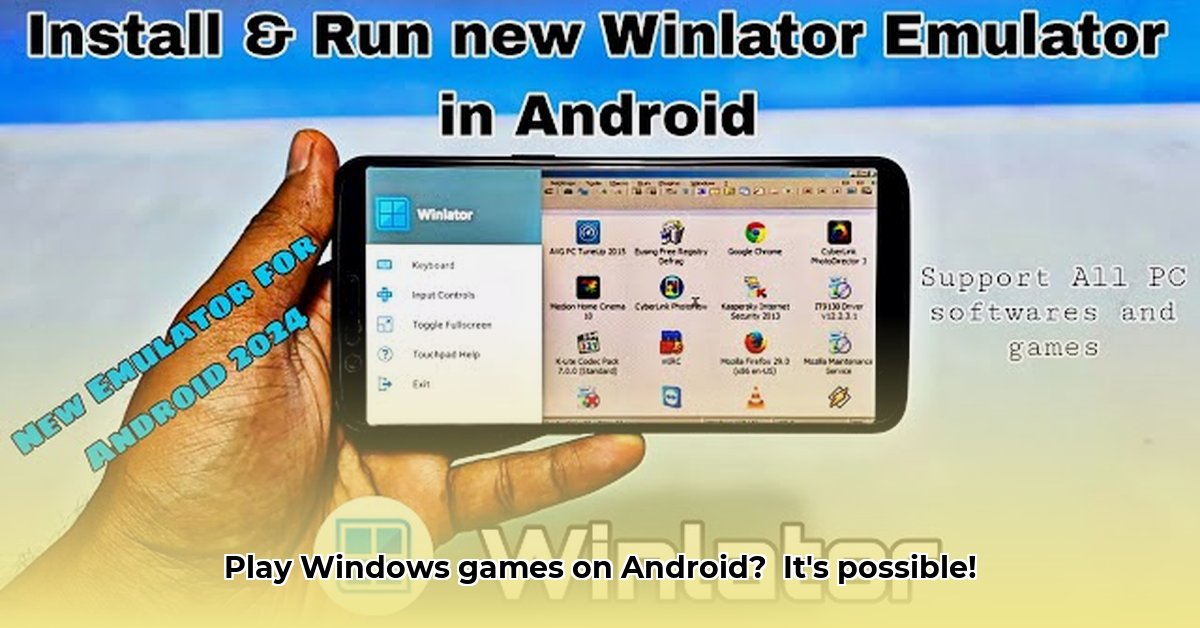
Want to play your favorite Windows games on your Android device? Winlator APK offers a compelling solution, bridging the gap between the vast library of PC games and the mobile platform. This comprehensive guide will delve into Winlator's capabilities, technical underpinnings, and practical usage, empowering you to unlock a world of gaming possibilities.
Winlator's Evolution: From Humble Beginnings to Powerful Performance
Winlator's journey reflects significant advancements in Android gaming. Early versions (v3.2 and earlier) provided basic functionality but lacked robust performance and broad compatibility. Imagine it as a prototype—functional, but far from polished. However, subsequent updates dramatically improved the experience.
Versions 4.0 through 7.0 delivered incremental improvements in speed, stability, and reliability; it's akin to fine-tuning a well-designed machine. Version 8.0 introduced a built-in file manager, streamlining navigation and overall usability. This was a pivotal moment, increasing user-friendliness. Version 9.0's integration of Vortek, a specialized graphics driver, significantly enhanced compatibility, particularly for devices with Mali GPUs. This was a major leap forward, significantly improving performance. Finally, version 10.0 overhauled the underlying file system, resulting in substantial performance gains and setting the stage for future enhancements. This was like a complete engine overhaul, boosting performance efficiently.
Here's a summary of these key evolutionary steps:
| Version | Major Enhancements |
|---|---|
| v3.2 | Initial release; basic functionality, limited compatibility |
| v4.0-v7.0 | Gradual improvements in speed, reliability, and stability |
| v8.0 | Integrated file manager for easier navigation |
| v9.0 | Introduction of Vortek graphics driver; improved compatibility |
| v10.0 | Overhauled file system; major performance improvements |
Understanding the Technology: Wine, Box64/86, Vortek, and DXVK
Winlator's success relies on a sophisticated interplay of technologies. Let's demystify them:
Wine: This layer acts as a translator, converting Windows application instructions into a format Android understands. Think of it as a universal language interpreter for software.
Box64/86: This component handles the architectural differences between Windows (typically x86 or x64) and Android's processor architecture. It ensures compatibility across different processor types.
Vortek: A specialized graphics driver designed to optimize performance on Android devices, particularly those with Mali GPUs. This greatly improves graphics rendering.
DXVK: Another crucial graphics layer, DXVK translates DirectX calls (used by many Windows games) into Vulkan calls (used by Android), enhancing graphical capabilities and performance.
These technologies work in concert to create a surprisingly smooth execution environment. Isn't it amazing how this all comes together seamlessly?
Performance and Compatibility: Real-World Expectations
While Winlator is impressive, its performance is directly tied to your Android device's capabilities. High-end devices with powerful processors and ample RAM will naturally provide a superior experience compared to older or lower-spec devices. More demanding games might show performance limitations. This is not unique to Winlator; similar limitations exist in other emulators.
Some games, especially those with intensive graphics requirements or those that rely on specific Windows APIs, may experience glitches, lower frame rates, or outright incompatibility. However, many games, particularly older or less demanding titles, run remarkably well. It’s a matter of managing expectations and understanding the limitations based on hardware capabilities.
A Step-by-Step Guide to Installation and Configuration
Installing and using Winlator involves these key steps:
Download: Download the Winlator APK from a trusted source. Always be cautious about downloading from untrusted sources to prevent malware infestation.
Installation: Install the APK file as you would any other Android app. You might need to enable "Install from unknown sources" in your Android settings.
Configuration: The initial setup is relatively simple. However, adjusting settings like graphics resolution, sound, and input methods (for game controls) can significantly impact performance and playability. Experiment to find the ideal settings for your specific games.
Troubleshooting: Should you encounter issues, consult the official Winlator documentation, online forums, or dedicated communities for support and troubleshooting assistance. The community is quite helpful in resolving issues.
Advanced Optimization Techniques for Enhanced Performance
For seasoned users seeking to maximize performance, several advanced optimization techniques can be explored:
Lowering Graphics Settings: Reducing resolution and visual effects often provides noticeable frame rate improvements.
Resource Management: Closing unnecessary background apps frees up system resources, potentially improving game performance.
Overclocking (Use with Extreme Caution!): Overclocking your device's processor can boost performance, but it carries a risk of hardware damage if not done carefully. Proceed with caution and only if you're familiar with this process.
Conclusion: Winlator's Strengths and Weaknesses
Winlator represents a remarkable advancement in running Windows games on Android. It offers numerous advantages:
- Consistent Improvement: Consistent updates and improvements demonstrate active development and a commitment to enhancing user experience.
- User-Friendly Setup: The installation process is generally smooth and easy to navigate.
- Broad Compatibility (with limitations): While not all games will work perfectly, a surprising number run surprisingly well.
However, it also presents some caveats:
- Device Dependency: Performance varies greatly based on your device's capabilities.
- Inherent Limitations: Some games, especially newer and graphically intensive ones, may still have compatibility issues.
- Technical Knowledge Required: Optimizing settings for peak performance requires a degree of technical understanding.
Ultimately, Winlator provides a potent path to playing Windows games on Android. By understanding its mechanics, limitations, and optimization techniques, you can unlock a new level of mobile gaming!
⭐⭐⭐⭐☆ (4.8)
Download via Link 1
Download via Link 2
Last updated: Sunday, May 18, 2025